How Browser Games Work Offline: A Casual Gamer's Guide

How Browser Games Work Offline: A Casual Gamer's Guide
Browser games work offline by downloading all game assets to your device on the first load, then running every calculation and visual through your browser's built-in JavaScript engine. No server contact is needed after that point. Understanding how browser games work offline helps you choose the right games, save your progress reliably, and keep playing even when your Wi-Fi drops. Technologies like Progressive Web Apps (PWAs), service workers, and localStorage make this possible across Chrome, Firefox, Safari, and Edge.
How do browser games run without an internet connection?
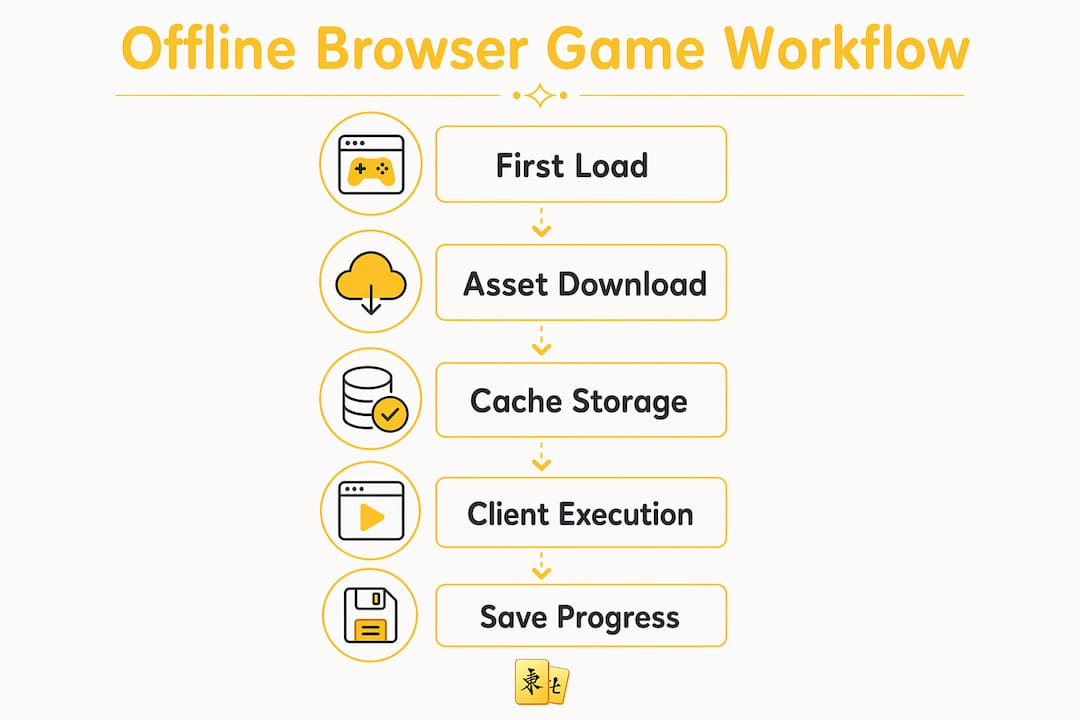
Client-side execution is the core mechanism. When you load a browser game for the first time, your browser downloads HTML files, JavaScript, images, audio, and any other assets the game needs. After that download, the game runs entirely on your device.
JavaScript engines power this process. Google Chrome uses V8, and Mozilla Firefox uses SpiderMonkey. Both engines compile game code for near-native speeds, enabling smooth 60 FPS rendering on an HTML5 canvas without any server involvement. That speed is why modern browser games feel as responsive as installed apps.

The browser's cache stores those downloaded files automatically. On your next visit, the browser checks the cache first before reaching out to a server. If the files are there and the game is designed to work offline, it loads instantly with zero internet required.
This architecture also means the game has no need to phone home for player data or game logic. Every move you make, every tile you flip, every score you earn gets processed locally. That is a meaningful privacy benefit most players never think about.
What technical processes enable offline browser game mechanics?
Four layers work together to make offline play reliable.
Static file caching. Your browser stores HTML, JavaScript, CSS, images, and audio files in its local cache. A well-built game bundles all these assets so nothing is missing when you go offline.
Service workers. A service worker is a background script that sits between your browser and the network. It intercepts network requests and serves cached files instead. When the network is unavailable, the service worker delivers the game from local storage without any visible interruption.
Client-side game logic. All physics, scoring, tile matching, and animation run through the JavaScript engine on your device. The server never touches game logic in a properly built offline game.
HTML5 canvas rendering. The canvas element draws every frame locally. Combined with requestAnimationFrame, this produces consistent 60 FPS performance on most modern devices without any server calls.
Pro Tip: If a browser game loads slowly on your first visit, let it finish completely before going offline. The initial load is when all assets get cached. Cutting it short leaves gaps that break offline play.
Performance does vary by device. Older phones may struggle with complex canvas animations, but simple puzzle games and tile-matching games run without issue on nearly any hardware made in the last decade.
What are Progressive Web Apps and why do they matter for offline play?
A Progressive Web App, or PWA, is the most reliable format for offline browser gaming. PWAs use a specific combination of technologies to behave like installed apps while still running in a browser.
Here is what makes a PWA different from a standard browser game:
- Service worker with cache-first strategy. The PWA pre-caches all game assets on install. On every subsequent load, it serves those files from the local cache first, ignoring the network entirely if needed.
- manifest.json file. This file tells the browser the app's name, icon, and display settings. It is what makes the "Add to Home Screen" prompt appear on mobile devices.
- HTTPS requirement. PWAs require HTTPS to function. This is a browser security rule, not optional. Any game served over plain HTTP cannot register a service worker.
- Installable icon. Once installed, the PWA appears on your home screen or desktop like a native app. Tapping it launches the game in full-screen mode with no browser chrome visible.
The practical result is instant loading, full offline availability, and a clean experience free from browser tabs and address bars. For casual gamers who want a focused session, a PWA delivers exactly that.
Pro Tip: On Chrome for Android or desktop, look for the install icon in the address bar when visiting a PWA-enabled game. One tap installs it to your device. You can then play it offline anytime, even in airplane mode.
PWAs also benefit developers. They eliminate the need for app store submissions while still giving players an installed-app experience. That is why more puzzle and tile-matching games are shipping as PWAs in 2026.
How do offline browser games save your progress without internet?
Game progress in offline browser games is stored using localStorage, a key-value storage system built into every modern browser. It holds data like high scores, completed levels, and player settings directly on your device.
Key facts about localStorage for offline gaming:
- No server needed. All read and write operations happen locally. Your save data never leaves your device unless the game explicitly sends it somewhere.
- Persistent across sessions. localStorage survives browser restarts. Close the tab, reopen it tomorrow, and your progress is still there.
- Time-delta calculations. Incremental and idle games use a clever technique: they record the timestamp when you last played, then calculate how much time has passed when you return. The game awards offline progress based on that time difference. This keeps progression active even when the game is closed.
- Encoded save data. To prevent tampering and protect data integrity, many games store encoded strings in localStorage rather than plain JSON. This makes it harder for players to manually edit their save files.
localStorage does have limits. Most browsers cap it at around 5–10 MB per origin. Large games with complex save states may hit that ceiling. For those cases, developers use IndexedDB, a more powerful browser-based database that handles larger data sets.
Which browser games can and cannot run offline?
Not every browser game is a candidate for offline play. The architecture of the game determines whether it works without internet.
| Game type | Offline capable? | Reason |
|---|---|---|
| Single-player puzzle games | Yes | All assets and logic are self-contained |
| Tile-matching games (e.g., Mahjong) | Yes | No server dependency; runs fully client-side |
| Incremental / idle games | Yes | Use localStorage and time-delta for offline progress |
| Multiplayer .io games | No | Require live WebSocket connections for matchmaking |
| Games with live ads or external assets | No | Fetch resources from external servers at runtime |
| Server-side rendered games | No | Game logic runs on the server, not the client |
Games like Krunker and Bullet Force open WebSocket connections for matchmaking and live data. Those connections require an active internet link. Cutting the connection breaks the game entirely.
Single-player puzzle games, classic card games, and tile-matching games are the strongest candidates for offline play. Their assets are self-contained and bundled, meaning the game carries everything it needs inside its own files. You can find a solid selection of these in our guide to games playable during lunch for a quick offline session.
CORS restrictions add another layer of complexity. Modern browsers block direct file:// access for HTML5 games as a security measure. If you save a game locally and try to open it by double-clicking the HTML file, it will often fail with a CORS error.
How to save and play browser games offline: practical steps
Saving a browser game for offline play takes a few deliberate steps. Here is how to do it correctly.
Use "Save Page As" (Complete). In Chrome or Firefox, press Ctrl+S (or Cmd+S on Mac) and choose "Webpage, Complete." This saves the HTML file and a folder containing all linked assets. This works for simple games but may miss dynamically loaded files.
Use wget or HTTrack for thorough downloads. Command-line tools like wget and HTTrack crawl a game's files more completely than a browser save. HTTrack mirrors entire sites, capturing assets that "Save Page As" misses.
Run a local web server to bypass CORS. Modern browsers restrict direct file:// access for HTML5 games. The fix is simple: open your terminal, navigate to the folder containing the game files, and run
python3 -m http.server 8000. Then openhttp://localhost:8000in your browser. The game loads correctly without CORS errors.Install PWA games directly. For games built as PWAs, skip the manual saving entirely. Use the browser's install option to add the game to your device. The PWA handles caching automatically and works offline from that point forward.
Test offline before you need it. After saving or installing, switch your device to airplane mode and reload the game. If it loads, the offline setup worked. If it fails, a file is missing or the game requires a server-side component.
Pro Tip: For no-download browser games that you want to keep accessible, check whether the site offers a PWA install option before attempting a manual save. PWA installation is faster, cleaner, and more reliable than manual file downloads.
You can also explore no-download gaming options for a broader look at how browser-based play has evolved beyond traditional installs.
Key takeaways
Offline browser games work because all game logic, assets, and save data live on your device after the first load, with PWAs and service workers providing the most reliable offline experience.
| Point | Details |
|---|---|
| Client-side execution | JavaScript engines like V8 run all game logic locally after the initial asset download. |
| PWAs are the gold standard | Service workers and cache-first strategies make PWAs the most reliable offline game format. |
| localStorage saves progress | Game scores, levels, and settings persist offline using browser-native key-value storage. |
| Not all games work offline | Multiplayer and server-dependent games require live connections and cannot run without internet. |
| Local server bypasses CORS | Running python3 -m http.server lets you play saved HTML5 games without browser security errors. |
Why offline browser gaming deserves more credit than it gets
I have spent years watching players overlook offline-capable browser games in favor of app store downloads. That habit costs them more than they realize.
The privacy angle alone is worth reconsidering. Offline games run entirely client-side, which means no external tracking, no account creation, and no behavioral data leaving your device. Every session is local and private. For a casual gamer who just wants a focused 15-minute puzzle session, that is a genuinely better experience than logging into a platform that monitors your every move.
The time-delta technique for offline progress is one of the most underrated design decisions in browser gaming. When a game calculates offline earnings based on how long you were away, it rewards you for real-world time. That mechanic keeps players engaged without requiring constant connectivity. Developers who build this into their games see measurably better retention.
PWAs represent the clearest path forward for casual offline gaming. They install in one tap, load instantly, and work in airplane mode. The gap between a PWA and a native app is now small enough that most casual players cannot tell the difference. Developers who ignore PWAs in 2026 are leaving a large, low-friction audience on the table.
My honest recommendation: before downloading any app, check whether a browser-based version exists as a PWA. You get the same offline experience with zero storage overhead and no app store permissions.
— Dmytro Romaniuk
Try Mahjong Online Club: no install, no sign-up, offline ready
Mahjong Online Club offers a classic tile-matching puzzle that runs directly in your browser, with no registration and no downloads required. The game is built for focused, distraction-free play, making it one of the cleanest examples of offline-capable browser gaming available today.
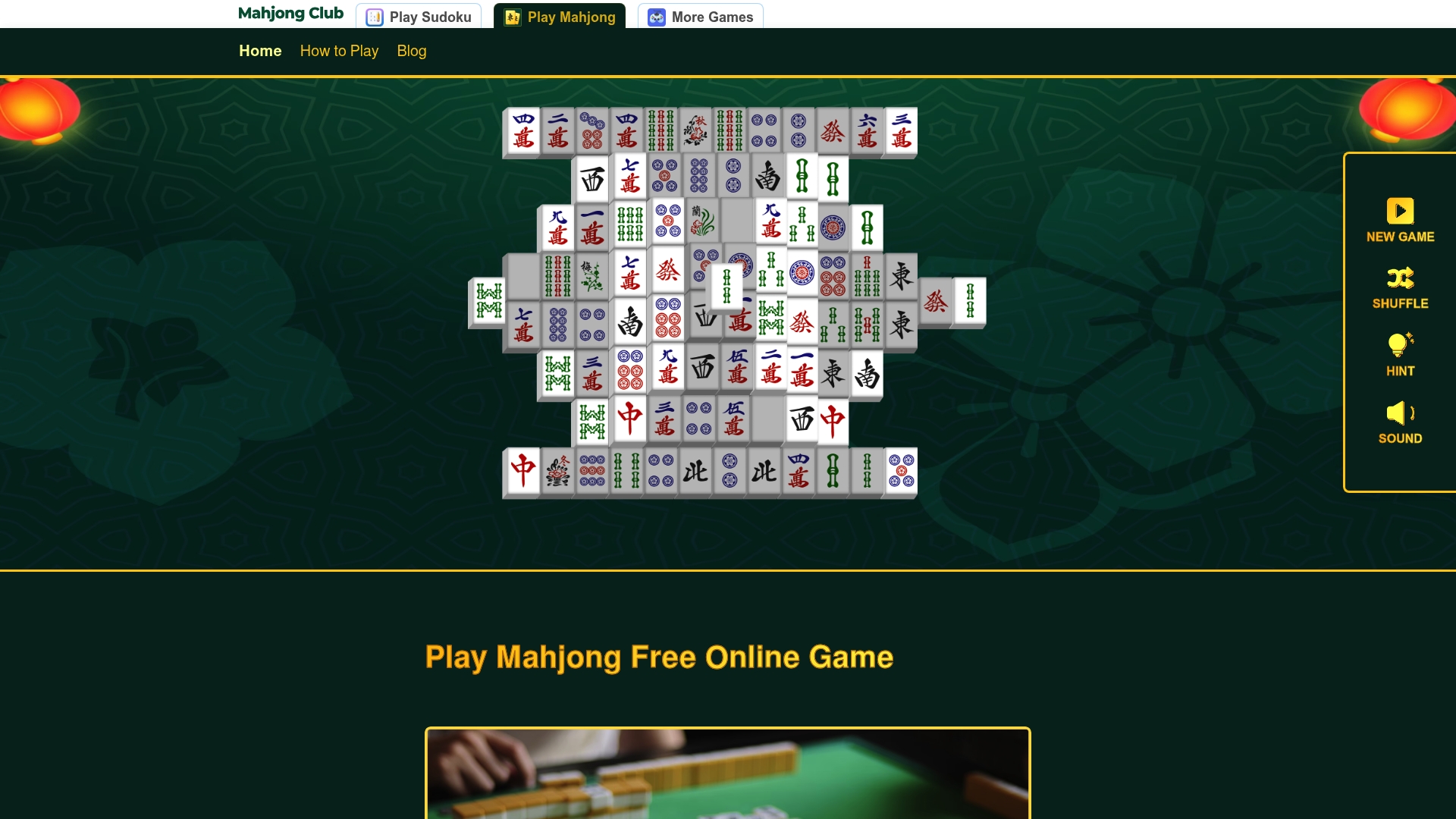
The game loads fully on first visit, caching everything your browser needs for future sessions. Whether you are on a lunch break or a long flight, you can play Mahjong free without worrying about your connection. If you want to sharpen your approach before playing, the Mahjong rules and strategy guide walks you through tile patterns, matching logic, and board-clearing techniques that apply whether you are online or off.
FAQ
Can browser games really work in airplane mode?
Yes. Browser games built with service workers or packaged as PWAs load fully from local cache in airplane mode. Single-player puzzle games and tile-matching games are the most reliable choices for offline play.
What is the difference between a PWA and a regular browser game?
A PWA uses a service worker to pre-cache all game assets and a manifest.json file to enable home screen installation. A regular browser game has no offline fallback and requires an active connection on every load.
How do I know if a browser game saves my progress offline?
Check whether the game uses localStorage by opening your browser's developer tools and looking under Application > Local Storage. If the game writes data there, your progress persists offline between sessions.
Why do some saved browser games fail to load offline?
Most failures come from CORS restrictions. Browsers block direct file:// access for HTML5 games as a security measure. Running a local server with python3 -m http.server 8000 resolves this in most cases.
Which types of browser games work best offline?
Single-player puzzle games, tile-matching games, and incremental idle games are the strongest candidates. Multiplayer games and any game that fetches live server data cannot run offline by design.
Recommended
Similar Articles

What Is Mahjong Explained: Rules, Tiles & Variants
Discover what is Mahjong explained: learn the rules, tile types, and variants of this strategic game that rivals chess in complexity.

How Mahjong Circle Tiles Work: Beginner's Guide
Discover how Mahjong circle tiles work in this beginner's guide. Master the Dots suit to enhance your game strategy and win more hands!

Top 6 Pongz.io Mahjong Solitaire Alternatives 2026
Discover 6 top pongz.io alternatives for enjoyable Mahjong Solitaire experiences. Choose the right one that suits your gaming preferences.